Analytics — Check-ins & Communication
Analytics now has two new sub-pages: Analytics → Check-ins and Analytics → Communication. Both show club-wide data with trends, breakdowns, and searchable activity feeds.
All the latest updates, improvements, and fixes to the Omoplata platform for martial arts club management.
Built by the Omoplata team

Analytics now has two new sub-pages: Analytics → Check-ins and Analytics → Communication. Both show club-wide data with trends, breakdowns, and searchable activity feeds.
Members can now have a dedicated invoice address — with company name and VAT number — separate from their home address. Invoice PDFs automatically use it for the buyer block; if none is set, it falls back to the home address.
Several improvements to the check-in flow, affecting both the kiosk and the member profile in the admin panel.
A new Security tab on member profiles lists all active login sessions — showing browser, OS, approximate location, IP address, and last activity.
As an admin you can revoke individual devices or end all other sessions at once. The admin's own active session is always kept intact.
Under Guides you can now create and manage operational guides and internal SOPs directly in Omoplata. Guides are split into sections and can be shared internally via a link.
The editor auto-saves every 10 seconds — a live status indicator in the top bar shows the save state. Changes are also flushed before navigating away, so nothing gets lost.
A new Skills module lets you record and rate techniques and abilities for each member. The member profile gets a new section with a radar chart showing strengths and areas for development at a glance.
Under Communication → Feed you can now send posts and polls directly to your members. Posts appear in the in-app feed and can optionally be delivered as push notifications. Use segments to control who sees a post — or broadcast it to everyone.
For a step-by-step guide, see the Omoplata Docs.

Segments let you create reusable audience groups for your communication system. Under Settings → Segments you define dynamic rules — e.g. "Plan is Gold AND Discipline is BJJ" — and Omoplata automatically resolves all matching members with an active membership.
Members can now upload their profile picture directly from the app. As always, you're in control: Under Settings → App you can choose whether members can change their profile picture at any time or only when no picture is set.
The trial form has a new setting: You can now choose whether the phone number field should be mandatory. You'll find this setting under Settings → Trial. By default, the phone field remains optional — so existing behavior is unchanged.
The member profile now includes a new section: check-in history. At a glance, you can see all check-ins for a member — with date, time, class name, and source (QR code, admin, or tablet).
With Easter just around the corner, we're introducing a new feature: You can now define closure periods for your club — e.g. vacations or maintenance breaks. All affected class occurrences are automatically cancelled. Closures can apply club-wide or to specific venues.
Closure dates are visually highlighted in the calendar view, and each closure shows a clear list of cancelled occurrences. When you edit or delete a closure, only the occurrences affected by that specific closure are restored — overlapping closures remain respected. For a step-by-step guide, see the Omoplata Docs.
The email compose experience has been completely redesigned. The new compose window appears compact in the bottom-right corner — similar to Gmail — and can be minimized. Attachments now show upload progress and the send button is disabled during uploads.
You can also reply directly within an email thread without opening the full compose window. The inbox now includes bulk actions like archive, delete, and flag with undo support.
Individual class occurrences can now be edited directly from the attendance view — without modifying the class template. The new edit modal lets you:
Cancelled occurrences are clearly marked across all views — with a red badge, strikethrough styling, and reduced opacity.
If you already have the trial training form on your website, you can now fully customize its colors and style under Settings → Trial Training — using a visual CSS builder for colors, fonts, and border radius, plus a free-text field for custom CSS. A live preview shows changes in real time.
If you haven't embedded the form yet, simply copy the embed script from the settings and add it to your website. For a step-by-step guide, see the Omoplata Docs.
Admins and trainers can now create new memberships directly with the "Active (Legacy)" status. This bypasses the regular onboarding flow when contract and payment details already exist externally — ideal for importing existing members or manual administration.
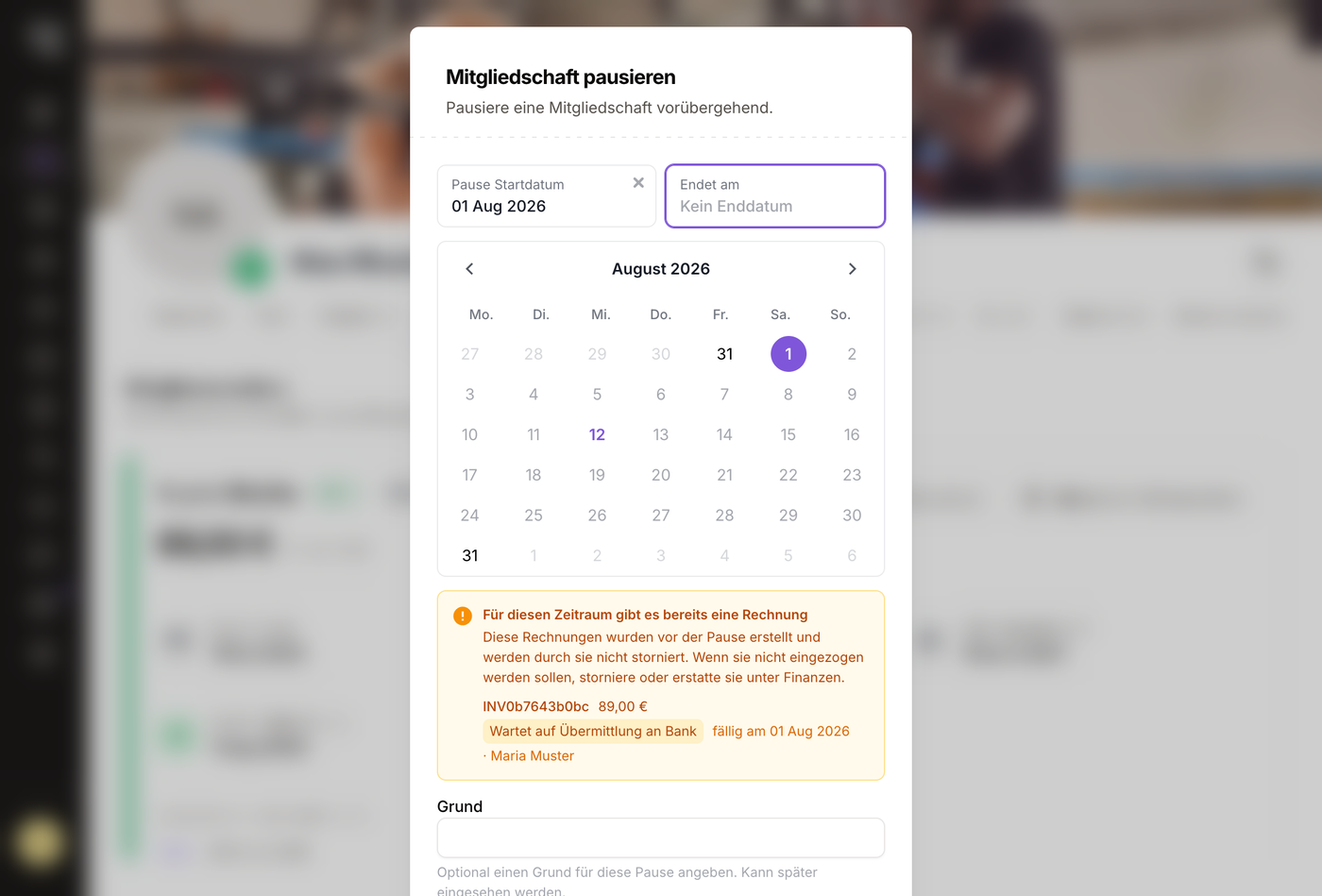
Recurring fees can now be controlled independently of membership pauses. With the new "Pause fee with membership" toggle, you can decide per fee whether it should continue to be charged during a membership pause.
By default, fees pause with the membership — ideal for regular dues. If you disable the option, the fee continues to be collected during the pause — useful for insurance or other ongoing costs.
Different martial arts handle belts differently — some distinguish between kids and adult belts, others use just a single track. The previous system with rigid demographic categories didn't accommodate this well, so we've refactored it to use flexible tracks. This makes belt management simple and adaptable to any martial art.
Members with assigned class times can now receive a swap credit when they can't attend their scheduled session. With this credit, they can attend a different session within a configurable time window (default: 7 days).
Cross-class swaps are also optionally available — capacity limits are respected. The feature is also available via the API for the mobile app.
You can now set a maximum number of trial training registrations per class. Once the limit is reached, the timeslot is shown as fully booked in the public registration form and can no longer be reserved.
In the admin calendar, a warning is displayed when a timeslot has reached its capacity limit. This helps you keep track of class utilization at all times.
Omoplata now automatically notifies you when contracts are expiring within the next 30 days. For each alert, you have four resolution options:
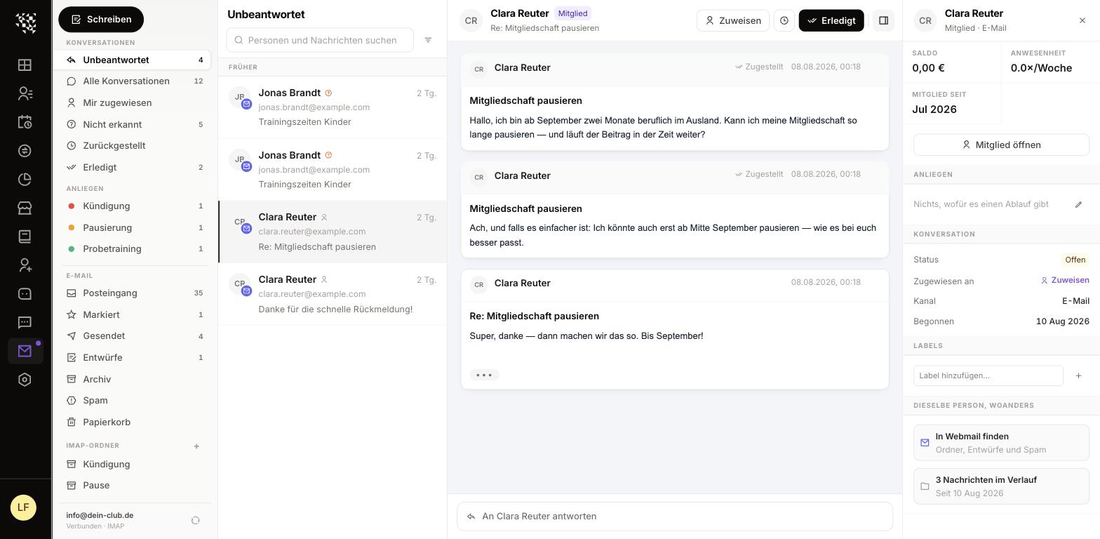
Omoplata now has an integrated inbox for your club. In most cases, this runs via the Omoplata-integrated address, e.g. clubname@clubs.omoplata.de.
With this you can:
We've improved the layout of the finance area for better clarity:
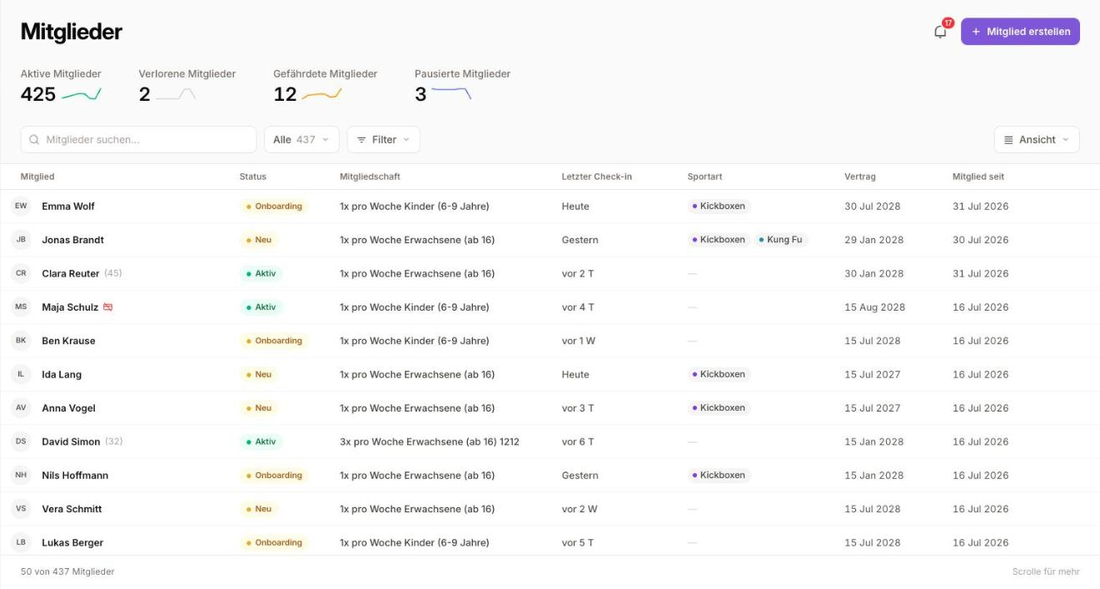
The member overview now offers additional specialized filters to help you keep track of:
The new Omoplata Docs provide a central collection of guides and explanations for all important areas of the system. The content is continuously growing. Find everything at omoplata.de/docs.
The belt display has been further refined:
The first personalized Omoplata app is live in the Apple App Store and Google Play Store — built for Supreme MMA! The app will soon have its first active users and serves as the foundation for further rollouts.
More information about the general Omoplata app will follow in the coming days. Clubs with a personalized app will also receive updates on the current status.
The trial training integration with your website is now even more flexible. You can specify whether prospects can sign up directly for a specific class.
When they do, the following happens automatically:
There's a brand new class overview in calendar format under the "Classes" tab.
The member app is coming sooner than planned! The launch is scheduled for the beginning of 2026 — the app will be available in both the Apple App Store and Google Play Store.
There will be two app variants:
The Omoplata App — a central app for your members with all the essential features for training, communication, and organization. A trainer app is also in the works! The app is free for all clubs already using Omoplata.
Your own Club App (White-Label) — with your own app icon, custom background images and photos, and versatile personalization options to match your club and your style.
Belt ranks including stripes are now displayed more attractively in the member list. Multiple belts can now also be shown simultaneously for a single member.
Haven't activated graduations yet? Here's how:
You can now do more than just view past and upcoming transactions from a member's profile — you can also:
A member has outstanding invoices from the past that weren't yet in Omoplata during data import? Or a member booked a private session that you'd like to collect via SEPA?
No problem! You can now create a manual transaction via the member profile (in the Action button under "Overview" or under "Billing"). With the "Create invoice immediately" option, the transaction appears right away as "pending" in the invoices section and can be sent to the bank directly. Without this option, it will be billed with the next membership fee.
To give you an even better overview of your invoice statuses, we've added new filters to the invoices section. With one click you can see how many invoices are in each status:
You can now also filter by payment method — so you can track exactly which members still have open invoices for cash or bank transfer payments.
As the member profile has grown with new features, we've added a central "Action" button that gives you quick access to less frequently used actions — all in one place. More actions will be added here over time.
Based on your feedback, the Analytics section now has its own place in the navigation. This allows us to use the Dashboard as an action-oriented area. You'll find a new Alerts section here.
This section shows you important notifications and helps you spot and resolve issues early. You'll currently find alerts for:
Once you've resolved an alert, you can mark it as "done" or click "ignore". If the system detects the issue isn't actually resolved, the notification will come back.
To ensure data integrity in the finance area, some status changes are now restricted.
SEPA files: The status can no longer be changed manually. Once a file is sent to the bank, it cannot be reversed. After bank transactions are fetched, the status automatically changes to "processed".
Transactions: If an invoice has already been created for a transaction, only the invoice status can be changed — not the transaction status itself.
Invoices: If an invoice is already included in a SEPA file, its status can no longer be changed. The SEPA file must be deleted first, the invoice adjusted, and the SEPA file recreated.
When a member transfers their membership fee, Omoplata now automatically performs payment reconciliation.
Note: Automatic reconciliation only works if the member's IBAN is stored in the system. If a member regularly pays by bank transfer, you can set "bank transfer" as the payment method in their profile — invoices will still be created but won't be included in the SEPA file.
This feature is designed for cases where membership fees cannot be collected via direct debit repeatedly, despite an active contract.
In addition to the existing "deferred" status, you can now set a membership to "unable to pay" via Membership → Manage membership → Mark as unable to pay in the member's profile.
Future invoices will still be created but immediately moved to "not collectable" status and excluded from the SEPA file. Once the payment issue is resolved, the membership can be set back to "active" — all invoices that would have been due in the meantime will be set to "pending".
Note: Invoices already marked as "pending" or "retry pending", or those already in a SEPA file, need to be manually marked as "not collectable".
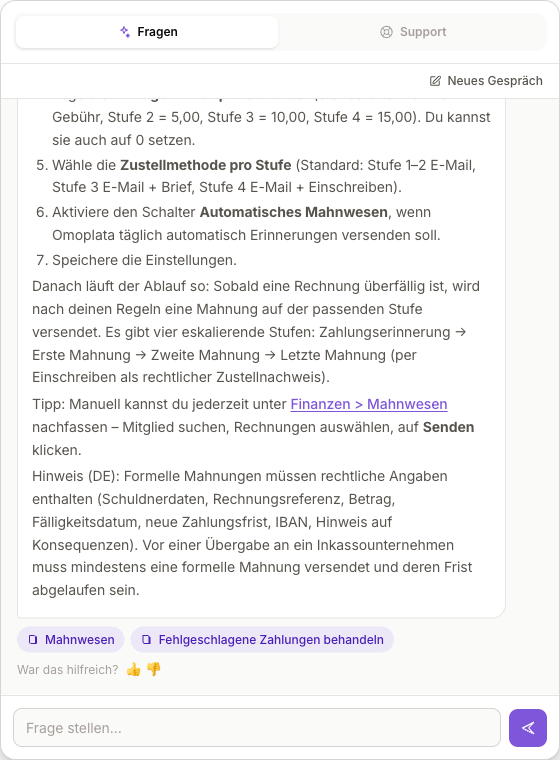
We've added a new AI assistant to help you get answers to your questions faster. You can find it in the Command Palette (Ctrl + K) — the global search bar above the menu.
Simply ask a question and the AI assistant will respond — with either a brief or detailed answer depending on the context. This is the BETA version, so responses will continue to improve. Soon you'll also be able to ask specific questions about members, upcoming classes, and more.
Of course, you'll still receive support through the usual channels — this new feature is meant to help you resolve many questions on your own.